写作一直用的是gridea,自带有markdown编辑器,本文生成一个轻量级的编辑器。
程序主代码
提问:生成一个markdown编辑器,左右分屏,左边源代码,右边预览

1
2
3
4
5
6
7
8
9
10
11
12
13
14
15
16
17
18
19
20
21
22
23
24
25
26
27
28
29
30
31
32
33
34
35
36
37
38
39
40
41
42
43
44
45
46
47
48
49
50
51
52
53
54
55
56
57
58
59
60
61
62
63
64
65
66
67
68
69
70
71
72
73
74
75
76
77
78
79
80
81
82
83
84
85
86
87
88
89
90
91
92
93
94
95
96
97
98
99
100
101
102
103
104
105
106
107
108
109
110
111
112
113
114
115
116
117
118
119
120
121
122
123
124
125
126
127
128
129
130
131
132
133
134
135
| <!DOCTYPE html>
<html lang="zh-CN">
<head>
<meta charset="UTF-8">
<meta name="viewport" content="width=device-width, initial-scale=1.0">
<title>Markdown 编辑器</title>
<script src="https://cdn.jsdelivr.net/npm/marked/marked.min.js"></script>
<style>
body {
margin: 0;
padding: 0;
font-family: Arial, sans-serif;
display: flex;
height: 100vh;
}
.editor-container {
display: flex;
width: 100%;
height: 100%;
}
.editor-pane {
flex: 1;
padding: 10px;
box-sizing: border-box;
overflow: auto;
}
width: 100%;
height: 100%;
border: 1px solid
padding: 10px;
font-family: monospace;
resize: none;
outline: none;
}
width: 100%;
height: 100%;
border: 1px solid
padding: 10px;
overflow: auto;
}
.pane-header {
font-weight: bold;
margin-bottom: 10px;
padding-bottom: 5px;
border-bottom: 1px solid
}
.resize-handle {
width: 10px;
background:
cursor: col-resize;
}
</style>
</head>
<body>
<div class="editor-container">
<div class="editor-pane">
<div class="pane-header">Markdown 源代码</div>
<textarea id="editor">
这是一个**左右分屏**的 Markdown 编辑器。
- 左边编辑 Markdown 源代码
- 右边实时预览渲染结果
1. 实时预览
2. 语法高亮
3. 响应式布局
```javascript
// 示例代码
function hello() {
console.log("Hello, Markdown!");
}
```</textarea>
</div>
<div class="resize-handle" id="resize-handle"></div>
<div class="editor-pane">
<div class="pane-header">预览</div>
<div id="preview"></div>
</div>
</div>
<script>
const editor = document.getElementById('editor');
const preview = document.getElementById('preview');
const resizeHandle = document.getElementById('resize-handle');
// 初始渲染
updatePreview();
// 实时更新预览
editor.addEventListener('input', updatePreview);
// 调整分屏大小
let isResizing = false;
resizeHandle.addEventListener('mousedown', (e) => {
isResizing = true;
document.body.style.cursor = 'col-resize';
});
document.addEventListener('mousemove', (e) => {
if (!isResizing) return;
const container = document.querySelector('.editor-container');
const containerRect = container.getBoundingClientRect();
const leftWidth = e.clientX - containerRect.left;
const rightWidth = containerRect.width - leftWidth - 10; // 10px for handle
container.children[0].style.flex = `0 0 ${leftWidth}px`;
container.children[2].style.flex = `0 0 ${rightWidth}px`;
});
document.addEventListener('mouseup', () => {
isResizing = false;
document.body.style.cursor = '';
});
function updatePreview() {
preview.innerHTML = marked.parse(editor.value);
}
</script>
</body>
</html>
|
功能说明:
左右分屏布局:
- 左侧为 Markdown 源代码编辑区
- 右侧为实时预览区
- 中间有可拖动的分隔条调整大小
实时预览:
- 使用 marked.js 库解析 Markdown
- 编辑区内容变化时自动更新预览
响应式设计:
- 适应不同屏幕尺寸
- 可调整两侧面板宽度
使用方法:
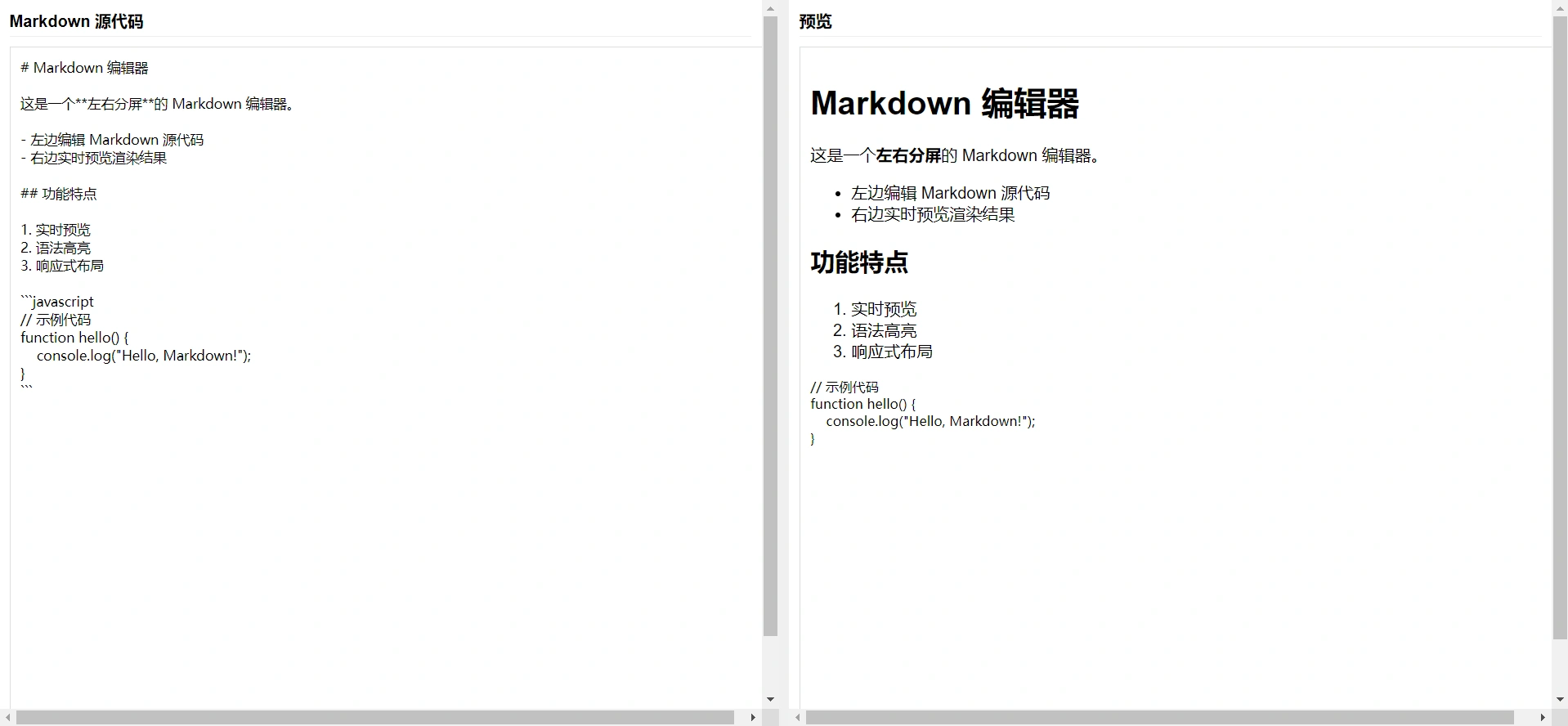
将上述代码保存为 HTML 文件,在浏览器中打开该文件,在左侧编辑 Markdown 内容,右侧会实时显示渲染结果。
如图:
扩展
功能不够,再提示:编辑器改进: 增加工具栏,本地保存,语法高亮,可插入图片,图片以当前时间随机命名。

1
2
3
4
5
6
7
8
9
10
11
12
13
14
15
16
17
18
19
20
21
22
23
24
25
26
27
28
29
30
31
32
33
34
35
36
37
38
39
40
41
42
43
44
45
46
47
48
49
50
51
52
53
54
55
56
57
58
59
60
61
62
63
64
65
66
67
68
69
70
71
72
73
74
75
76
77
78
79
80
81
82
83
84
85
86
87
88
89
90
91
92
93
94
95
96
97
98
99
100
101
102
103
104
105
106
107
108
109
110
111
112
113
114
115
116
117
118
119
120
121
122
123
124
125
126
127
128
129
130
131
132
133
134
135
136
137
138
139
140
141
142
143
144
145
146
147
148
149
150
151
152
153
154
155
156
157
158
159
160
161
162
163
164
165
166
167
168
169
170
171
172
173
174
175
176
177
178
179
180
181
182
183
184
185
186
187
188
189
190
191
192
193
194
195
196
197
198
199
200
201
202
203
204
205
206
207
208
209
210
211
212
213
214
215
216
217
218
219
220
221
222
223
224
225
226
227
228
229
230
231
232
233
234
235
236
237
238
239
240
241
242
243
244
245
246
247
248
249
250
| <!DOCTYPE html>
<html lang="zh-CN">
<head>
<meta charset="UTF-8">
<meta name="viewport" content="width=device-width, initial-scale=1.0">
<title>高级 Markdown 编辑器</title>
<script src="https://cdn.jsdelivr.net/npm/marked/marked.min.js"></script>
<script src="https://cdn.jsdelivr.net/npm/prismjs@1.29.0/prism.min.js"></script>
<link href="https://cdn.jsdelivr.net/npm/prismjs@1.29.0/themes/prism.min.css" rel="stylesheet">
<link rel="stylesheet" href="https://cdnjs.cloudflare.com/ajax/libs/font-awesome/6.4.0/css/all.min.css">
<style>
:root {
--primary-color: #4285f4;
--border-color: #dadce0;
}
body {
margin: 0;
padding: 0;
font-family: 'Segoe UI', Tahoma, Geneva, Verdana, sans-serif;
height: 100vh;
display: grid;
grid-template-rows: auto 1fr auto;
}
.toolbar {
padding: 8px;
border-bottom: 1px solid var(--border-color);
display: flex;
gap: 5px;
flex-wrap: wrap;
}
.toolbar button {
background: white;
border: 1px solid var(--border-color);
border-radius: 4px;
padding: 6px 10px;
cursor: pointer;
}
.editor-container {
display: grid;
grid-template-columns: 1fr 10px 1fr;
height: 100%;
}
.editor-pane {
overflow: auto;
display: flex;
flex-direction: column;
}
#editor {
width: 100%;
height: 100%;
border: none;
padding: 15px;
font-family: 'Consolas', monospace;
resize: none;
outline: none;
font-size: 14px;
line-height: 1.5;
}
#preview {
padding: 15px;
overflow: auto;
}
.resize-handle {
background: #f1f3f4;
cursor: col-resize;
}
.status-bar {
padding: 5px 10px;
border-top: 1px solid var(--border-color);
font-size: 12px;
}
#file-input, #image-upload {
display: none;
}
</style>
</head>
<body>
<div class="toolbar">
<button onclick="insertText('**', '**')"><i class="fas fa-bold"></i></button>
<button onclick="insertText('*', '*')"><i class="fas fa-italic"></i></button>
<button onclick="insertText('# ', '')"><i class="fas fa-heading"></i></button>
<button onclick="insertText('[', '](url)')"><i class="fas fa-link"></i></button>
<button onclick="document.getElementById('image-upload').click()"><i class="fas fa-image"></i></button>
<button onclick="insertText('```\n', '\n```')"><i class="fas fa-code"></i></button>
<div style="flex-grow: 1;"></div>
<button onclick="saveAsMd()"><i class="fas fa-save"></i> 保存为.md</button>
<button onclick="document.getElementById('file-input').click()"><i class="fas fa-folder-open"></i> 打开</button>
</div>
<div class="editor-container">
<div class="editor-pane">
<textarea id="editor"># Markdown 编辑器
这是一个左右分屏的Markdown编辑器。
- 左边编辑源代码
- 右边实时预览
**功能特点**:
1. 可保存为.md文件
2. 图片上传功能
3. 语法高亮</textarea>
</div>
<div class="resize-handle" id="resize-handle"></div>
<div class="editor-pane">
<div id="preview"></div>
</div>
</div>
<div class="status-bar">
<span id="status">就绪</span>
</div>
<input type="file" id="file-input" accept=".md,.markdown,.txt">
<input type="file" id="image-upload" accept="image/*">
<script>
const editor = document.getElementById('editor');
const preview = document.getElementById('preview');
const resizeHandle = document.getElementById('resize-handle');
const fileInput = document.getElementById('file-input');
const imageUpload = document.getElementById('image-upload');
const statusEl = document.getElementById('status');
marked.setOptions({
breaks: true,
gfm: true,
highlight: (code, lang) => {
if (Prism.languages[lang]) {
return Prism.highlight(code, Prism.languages[lang], lang);
}
return code;
}
});
updatePreview();
editor.addEventListener('input', updatePreview);
let isResizing = false;
resizeHandle.addEventListener('mousedown', () => {
isResizing = true;
document.body.style.cursor = 'col-resize';
});
document.addEventListener('mousemove', (e) => {
if (!isResizing) return;
const container = document.querySelector('.editor-container');
const containerRect = container.getBoundingClientRect();
const leftWidth = e.clientX - containerRect.left;
container.style.gridTemplateColumns = `${leftWidth}px 10px 1fr`;
});
document.addEventListener('mouseup', () => {
isResizing = false;
document.body.style.cursor = '';
});
fileInput.addEventListener('change', (e) => {
const file = e.target.files[0];
if (!file) return;
const reader = new FileReader();
reader.onload = (event) => {
editor.value = event.target.result;
updatePreview();
showStatus(`已加载: ${file.name}`);
};
reader.readAsText(file);
});
let imageUploadPath = '';
imageUpload.addEventListener('change', (e) => {
const file = e.target.files[0];
if (!file) return;
const fileName = `image-${Date.now()}.${file.name.split('.').pop()}`;
const imageUrl = imageUploadPath ? `${imageUploadPath}/${fileName}` : fileName;
insertText(``);
showStatus(`已插入图片: ${fileName}`);
imageUpload.value = '';
});
function saveAsMd() {
const content = editor.value;
const blob = new Blob([content], { type: 'text/markdown' });
const url = URL.createObjectURL(blob);
const a = document.createElement('a');
a.href = url;
a.download = `markdown-${new Date().toISOString().slice(0,10)}.md`;
document.body.appendChild(a);
a.click();
document.body.removeChild(a);
URL.revokeObjectURL(url);
showStatus('已保存为.md文件');
}
function updatePreview() {
preview.innerHTML = marked.parse(editor.value);
}
function insertText(prefix, suffix = '') {
const start = editor.selectionStart;
const end = editor.selectionEnd;
const selected = editor.value.substring(start, end);
const before = editor.value.substring(0, start);
const after = editor.value.substring(end);
editor.value = before + prefix + selected + suffix + after;
editor.focus();
editor.selectionStart = start + prefix.length;
editor.selectionEnd = end + prefix.length;
updatePreview();
}
function showStatus(message) {
statusEl.textContent = message;
setTimeout(() => statusEl.textContent = '就绪', 3000);
}
</script>
</body>
</html>
|
如图:
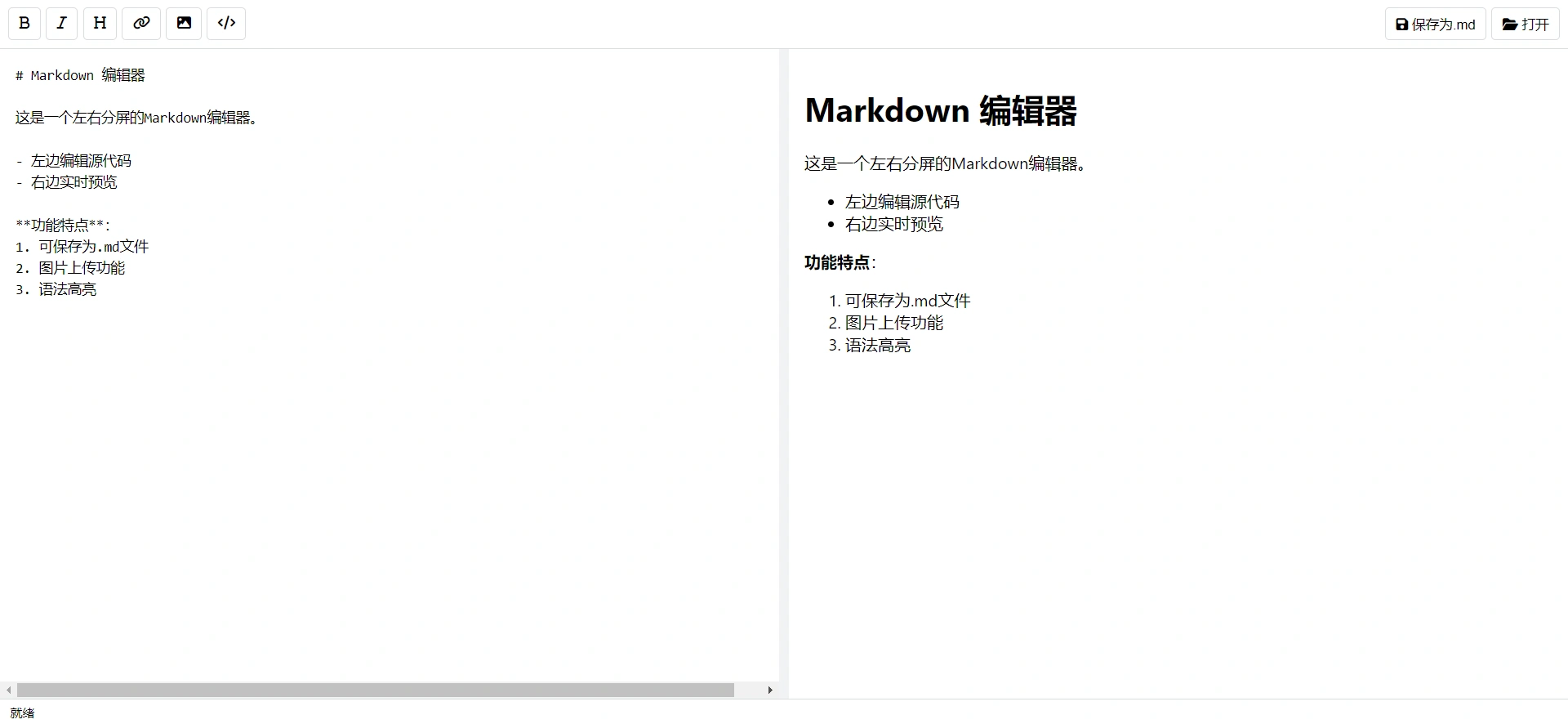
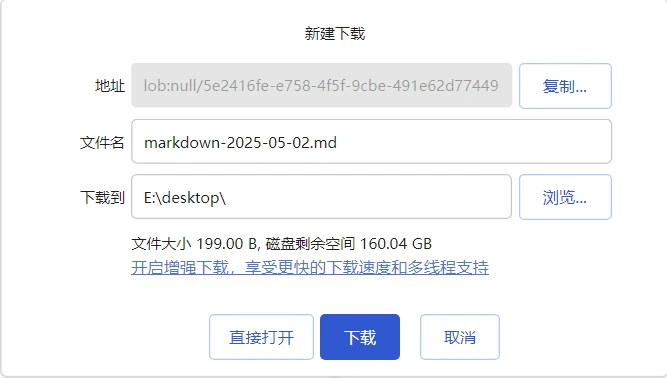
经过与ds反复交流,生成了一个index.html版的markdown编辑器。
预览:markdown编辑器